⛳ Golf Skins Game Calculator
Track unique low holes, pushes, carryovers, net handicap strokes, team skins, and open point pools for a golf skins round.
| Measure | Value | Formula | Round Note |
|---|
| Outcome code | Hole condition | Point movement | Score sheet check |
|---|---|---|---|
| U | One side has unique gross low | Award base plus carry | Record as gross skin |
| H | One side wins after net strokes | Award base plus carry | Mark stroke hole used |
| P | Two or more sides tie low | Add base to carry | No skin awarded |
| S | Tied low with house handling | Push, cancel, or split | Apply tie setting |
| Skins format | Best side count | Scoring basis | Calculator emphasis |
|---|---|---|---|
| Individual gross | 3-6 players | Gross low score | Unique wins and pushes |
| Individual net | 4-8 players | Net low score | Stroke holes and allowance |
| Team skins | 2-4 sides | Team low ball | Team size and shared awards |
| Better ball teams | 2-4 pairs | Best net or gross ball | Carryover chains by side |
| Tie rule | S code effect | Carryover effect | When to use |
|---|---|---|---|
| Push to next | No immediate award | Adds base to carry | Traditional skins flow |
| Cancel tied hole | No award on the hole | Carry stays unchanged | Fast casual cards |
| Split tied points | Base plus carry is shared | Carry resets after split | Low-drama league sheets |
| Separate gross/net | Track two code rows | Use two point pools | Flighted events |
| Handicap item | Typical value | What to enter | Net skins impact |
|---|---|---|---|
| Full allowance | 100 percent | 100 | All strokes available |
| Common allowance | 80-90 percent | 80 or 90 | Fewer net stroke wins |
| Stroke index holes | 1-18 ranking | Hole list | Validates H outcomes |
| Gross only | 0 percent | 0 | H codes flagged for review |
Mark pushes before awards
A pushed hole adds its base point to the carry bucket before the next unique winner is paid from the combined pool.
Audit net skins against stroke holes
When H codes appear, confirm the winning side was entitled to a handicap stroke on that hole under the chosen allowance.
Use the golf skins game calculator to total skins, pushes, handicap-aided holes, carryovers, team shares, and open points from a finished scorecard.
A game of golf skins use a series of rules to award points to the players based on their score. A skins game can become complicated for the players involve in the event, especially in the case of tie between players. To complicate the calculations that need to occur to determine the points awarded to each player, the golf skins calculator was developed.
The calculator allow for each player to determine the total points that will be awarded to each player without creating arguments between the group of players about the calculations of points earned during the game of golf. In most skins game, each player is awarded a certain number of points for each hole that they play. The golf skins calculator require that each player enters the point value for each hole into the calculator.
How to Use a Golf Skins Calculator
The number of points that each player earns for each hole will impact the total number of points for each player. Should players tie on any hole in a skins game, the points for those holes will be carried into the next hole played, increasing the total number of points that is awarded to the player. The golf skins calculator keeps track of these points earned and awarded to each player.
The results of each player’s holes will impact the result of the skins game. If the players push a number of holes and then win the last few holes, the result will be different than if the wins for each player are scattered throughout the round. A series of codes are entered into the golf skins calculator to represent the results of each player’s holes.
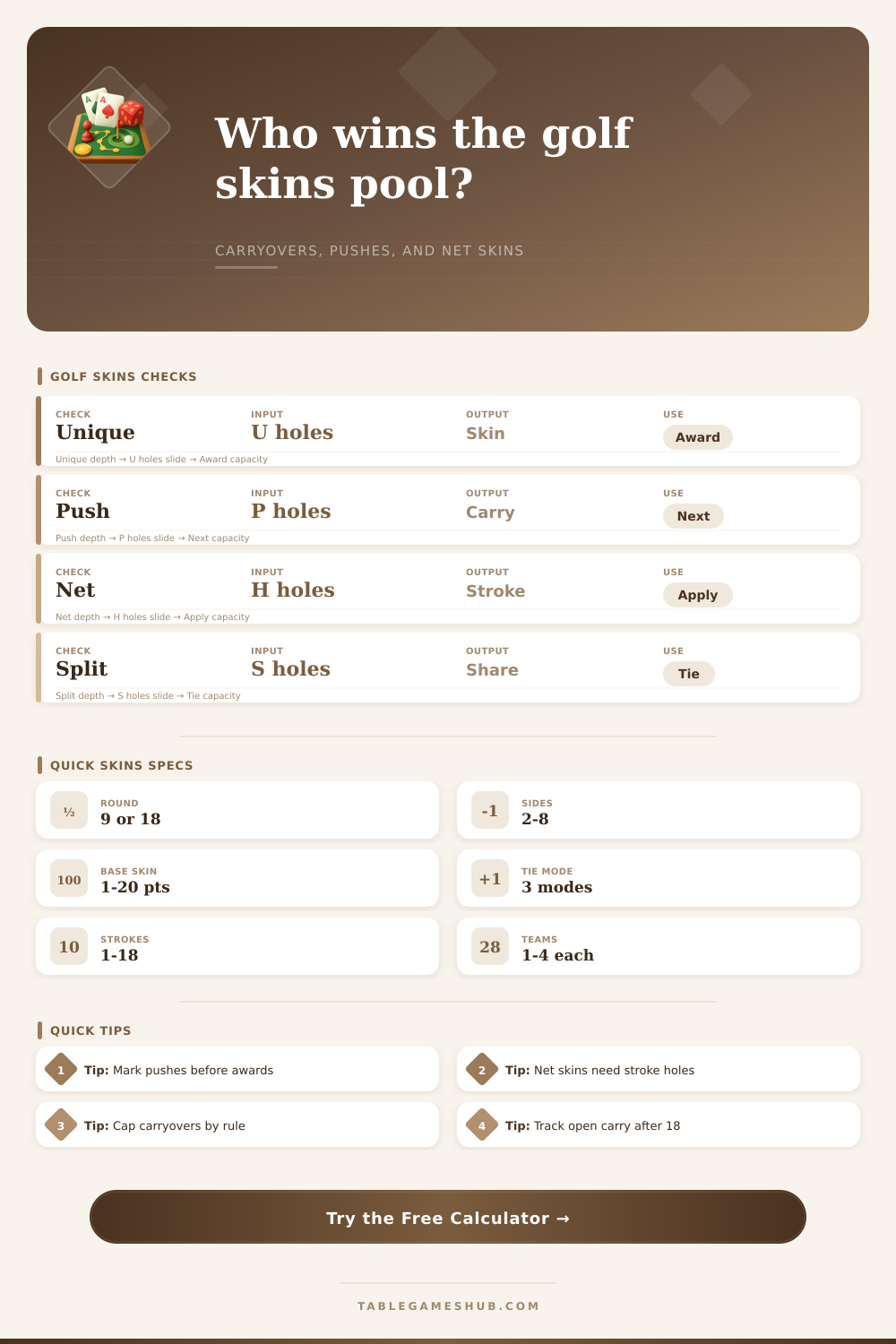
The codes is U (unique gross winner), H (net winner), P (push), and S (ties). The players establish a tie rule prior to the skins game. Some groups may decide to carry each tie forward to the next hole to increase the number of points awarded to the player.
Other groups may choose to cancel ties so that the game of golf is over. Other groups may choose to split the points between each player who tied on a hole. Handicap skins games are skins games that allow players of different abilities to compete against each other.
In a skins game with players of different abilities, only the net winners (players with a handicap) count the points on holes where the players with a handicap were playing their stroke. The holes where net winners played their strokes must be listed in the golf skins game calculator. If the holes where players played their strokes does not match the number and identity of the net winners (H codes), the golf skins game calculator will indicate a mismatch in the game results.
This avoids the arguing between players about whether or not a player used their strokes correctly. In side games, two player form a team (side). Each side awards points based on the lowest ball score of all players on the side.
The golf skins game calculator awards points for how many side won the holes, not how many players in each side won the game. Therefore, while each side will earn more points than each individual player on that side, the players on each side must split the winnings between themselves. Some groups establish a carryover cap for their skins game.
With a carryover cap, the total number of points earned by a player on a hole cannot be transferred to the next hole (though it can continue to be earned on subsequent holes). Other groups do not use a carryover cap because they want to allow for the potential of a winner to earn a high number of points during their game. The tables that are included in the article provide explanations for the codes so that the players can understand what each code means.
The U code represents the number of gross winning holes (holes won by a player without strokes). The H code is used for players with a handicap who earned the hole by the player’s total score including strokes. The P code is used to indicate the number of pushes for each player.
The S code is for indicating ties between players for each hole. It is possible for players to win a skins game with an uneven distribution of wins. For example, a group of players may have a number of pushes for the first nine holes and earn wins for the last nine holes.
The golf skins calculator can handle this even distribution of wins and losses for the players in the skins game. An even number of points with an unresolved carry after the 18th hole is not a loss for the players. However, should there be an unresolved carry, the players must establish a rule about how to deal with the leftover points.
Some groups may choose to carry the points to the next round of golf, while other groups may choose to divide the points among the players with wins. One of the most common error made with skins games is to enter the codes into the calculator after the skins game has occurred. Players may not remember the results of each player’s score.
For instance, a player may have pushed on the 14th hole but can no longer remember this result. In this situation, the players should enter the codes for each player’s holes during the game of golf. Another common error is to forget to enter the stroke holes if players are playing a skins game with handicaps.
The golf skins game calculator cannot verify the codes for players with handicaps if the strokes that they played do not get listed in the calculator. The calculator will indicate that the codes may not accurately reflect the skins game results.