Miniature Paint Thinning Ratio Calculator
Calculate paint drops, thinner drops, medium, flow improver, viscosity ratio, final volume, and scaled batches for miniature painting techniques.
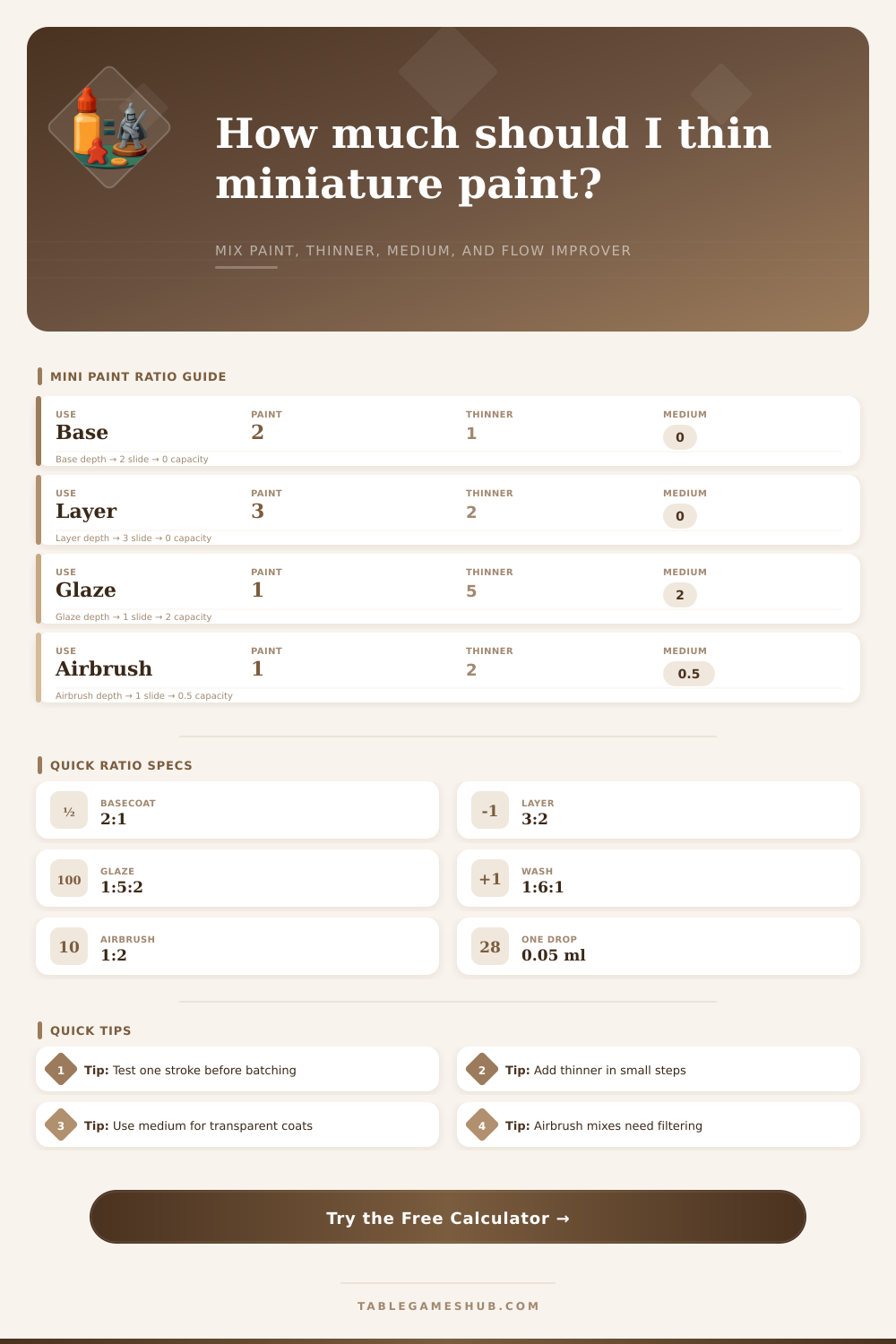
| Technique | Paint | Thinner | Medium | Flow improver | Typical result |
|---|---|---|---|---|---|
| Basecoat | 2 drops | 1 drop | 0 drops | 0.05 per paint | Opaque smooth coat |
| Layer | 3 drops | 2 drops | 0 drops | 0.05 per paint | Controlled coverage |
| Highlight | 4 drops | 1 drop | 0 drops | 0.03 per paint | Sharper brush line |
| Glaze | 1 drop | 5 drops | 2 drops | 0.08 per paint | Transparent tint |
| Wash | 1 drop | 6 drops | 1 drop | 0.10 per paint | Recess shading |
| Airbrush | 1 drop | 2 drops | 0.5 drops | 0.10 per paint | Milk-like spray |
| Paint body | Viscosity factor | Thinner effect | Medium note | Best use |
|---|---|---|---|---|
| Standard acrylic | 1.00 | No adjustment | Optional for glazes | Base, layer |
| Thick base paint | 1.25 | Add 25% thinner | Binder helps prevent chalking | Basecoat |
| Thin layer paint | 0.80 | Use 20% less thinner | Keep medium low | Layer, highlight |
| Metallic paint | 0.90 | Thin gently | Medium keeps flakes suspended | Metal armor |
| Transparent contrast paint | 0.70 | Already fluid | Medium controls staining | Glaze, wash |
| Airbrush primer | 1.15 | Needs flow support | Small medium share | Primer spray |
| Project | Scale | Suggested paint | Batch method | Check point |
|---|---|---|---|---|
| Single hero detail | 1x | 2 to 4 drops | Mix on wet palette | One smooth stroke |
| Five model squad | 3x | 8 to 12 drops | Mix once, remix accents | Same opacity on all models |
| Ten model unit | 5x | 14 to 20 drops | Use well palette | No skin forming at edge |
| Vehicle panels | 4x | 12 to 18 drops | Use wider brush load | No tide marks |
| Airbrush cup | 8x | 10 to 16 drops | Mix outside cup first | Sprays without speckling |
| Viscosity ratio | Read as | Brush behavior | Airbrush behavior | Adjustment |
|---|---|---|---|---|
| 0.30 to 0.55 | Heavy | Opaque, may texture | Likely clogging | Add thinner slowly |
| 0.56 to 0.85 | Layer | Smooth controlled coat | May need more thinner | Good brush range |
| 0.86 to 1.60 | Thin | Soft coverage | Good for spray | Test transparency |
| 1.61 to 3.50 | Glaze | Transparent tint | Very light spray | Add medium if weak |
| 3.51+ | Wash | Runs to recesses | Over-thinned for most spray | Increase paint or medium |
Achieving an correct consistency of miniature paint is a necessary step in the painting process. Achieving the correct consistency of miniature paint will ensure that the paint achieve the desired result. Too thick of miniature paint can cause the brush to drag on the model and may create unwanted texture on the miniature model.
Too thin of miniature paint can cause the pigment to separate from the miniature paint, and the thin miniature paint may flood the details of the model. The balance of miniature paint, thinner, medium, and flow improver will determine if the miniature paint will remain on the model or if the miniature paint will flood into the recessive details of the model. Although many people tries to determine the ratios of these components of paint by sight, this can lead to mistakes.
Find the Right Paint Mix for Miniatures
Using a calculator to determine the specific ratio of each component will produce a more accurate result. To determine the ratio of miniature paint to medium to flow improver to thinner, the calculator will ask for several specific input. The first of these inputs will be the painting technique to be used because the ratio of paint needed for a base coat will be different then the ratio needed for a glaze.
The second of these will be the type of paint that is to be used because paints with heavy pigments will require more thinner than paints that are already thin in consistency. The calculator will also request the drop count so that the thinner and other components of miniature paint can be properly measured for the desired number of models to be painted. An evaporation buffer can also be included in these calculations because miniature paint palettes will lose liquid with time as the paint dry.
Once these parameters are entered into the calculator, the amount of thinner, medium, and flow improver will be calculated and displayed to the user. The medium and the flow improver perform different function within the paint mixture, but both are used to alter the behavior of miniature paint. The medium is used to maintain the integrity of the binder in the miniature paint so that the paint does not become chalky and flake off of the miniature model.
The flow improver is used to reduce the surface tension of the miniature paint so that the paint will level out instead of beading on the miniature model’s surface. The calculator allows for increasing the amount of medium without increasing the amount of flow improver and for increasing the amount of flow improver without increasing the amount of medium. For example, a transparent glaze may require more medium than flow improver, or a metallic paint may require more flow improver than medium.
The calculator will display the viscosity of the miniature paint for the user so that the user can determine if the ratio of liquid to miniature paint is correct. If the viscosity of the miniature paint is not correct, the user can always add more thinner to the miniature paint or more miniature paint. Thinning miniature paint is a process that is continual throughout the entire painting process.
The ratio of miniature paint, thinner, medium, and flow improver will change due to various factor. The humidity in the environment may change the behavior of the miniature paint, the age of the miniature paint may change its behavior, or the size of the brush that is used to thin the miniature paint may change the results. A ratio that works in one environment may not work in another.
To find the correct ratio for your environment, you can use the reference tables include in the paint ratio calculator. The miniature paint can then be tested on scrap material. If the miniature paint creates ridges on the scrap material, then it is too thick.
If the paint pools on the scrap material, then the miniature paint is too thin. Making small correction on the scrap material will prevent any problems during the painting process of the miniature models. When scaling a batch of miniature paint, care must be taken to ensure the calculations are accurate because small errors in a small batch will lead to large errors in a large batch of miniature paint.
To prevent losing all of the miniature paint while painting a large group of models, a buffer percentage is built into the paint ratio calculator. The buffer percentage accounts for the liquid that is absorbed by the painting palette and removed by the brush when painting miniature models. This same calculation is useful for those who would like to airbrush the miniature paint because the airbrush will eventually lose the miniature paint.
The airbrush need to have an even flow of miniature paint to avoid losing the airbrush or the tip of the airbrush drying out of paint. The paint ratio calculator includes preset options for both airbrushing and brushing miniature models. The overall purpose of this paint ratio calculator is to remove the need for manual calculations of the ratios required for miniature models.
Instead, the user will be able to focus on the miniature paint. Based on the provided miniature paint and the calculated ratio of miniature paint, thinner, medium, and flow improver, the user can observe how the miniature paint will move on the miniature model. By repeatedly painting different models using the same calculated ratio, the user will be able to create a repeatable process for thinning miniature paint.
As the user gains experience with the different paints and paint brands, they will develop an understanding of the viscosity of the paints and how they require different ratios of thinning agent. Eventually, the paint ratio calculator will become a faster tool for the user to calculate the proper ratios of miniature paint, medium, thinner, and flow improver. The goal of all of this is for the user to find a starting point with the miniature paint that require only small corrections so that all of the models in a batch look the same.