Puerto Rico Expansion Calculator
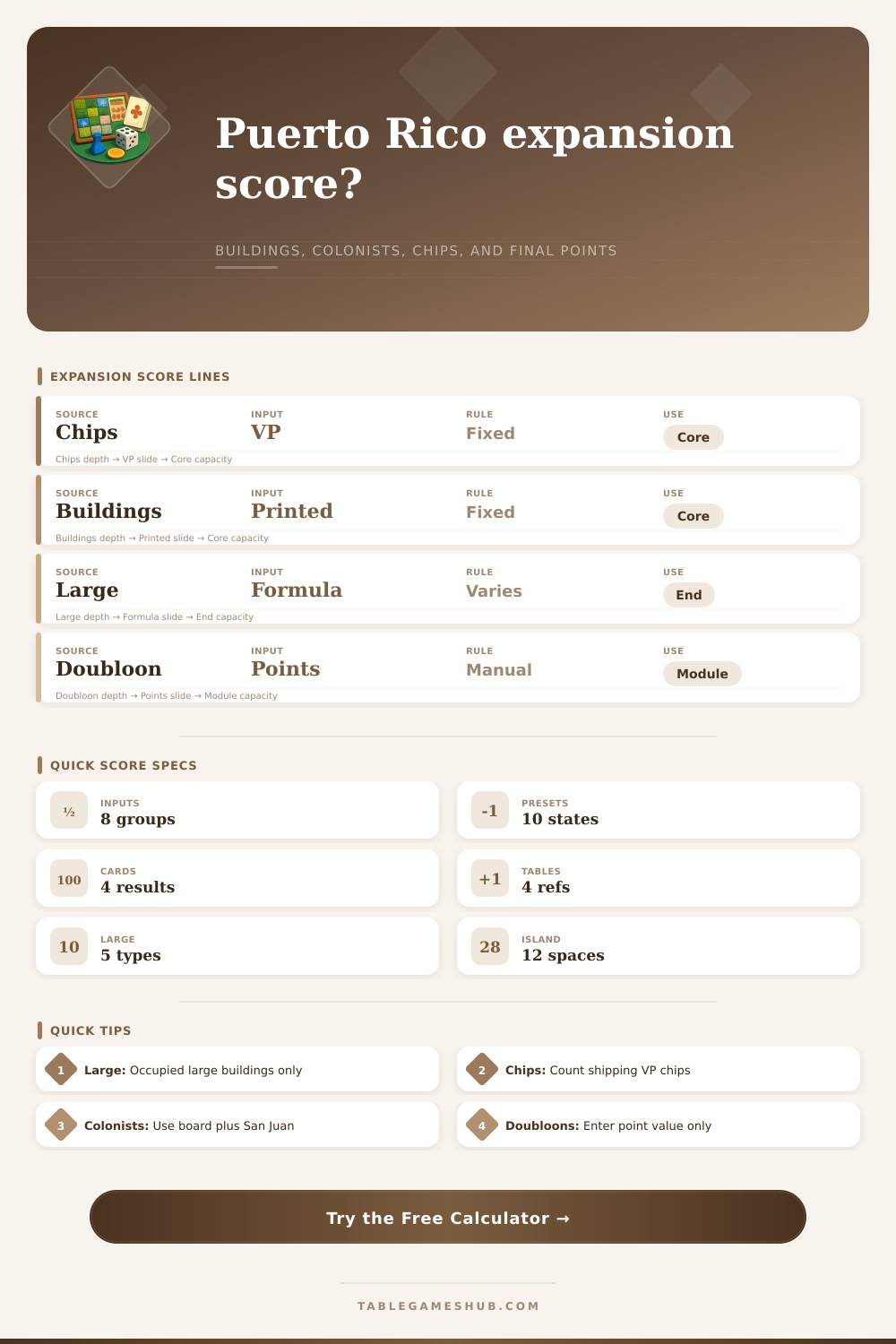
Total a final Puerto Rico expansion board with shipping VP chips, printed buildings, occupied large-building bonuses, plantations, colonists, expansion-building points, doubloon game points, and the final score.
| Score source | Calculator input | Scores game points? | Audit note |
|---|---|---|---|
| Shipping VP chips | Shipping VP chips | Yes | Count the victory point chips earned from shipping and chip awards. |
| Printed buildings | Printed building victory points | Yes | Owned buildings score their printed values whether occupied or empty. |
| Large-building text | Occupied large-building suite | Yes | Apply only when the listed large building is occupied by a colonist. |
| Expansion buildings | Expansion building points | Yes | Enter the final point value from active expansion-building text. |
| Doubloon game points | Doubloon game points | Yes, if module says so | Use this only for point text or table modules that score doubloons. |
| Large building | Occupied requirement | Formula used | Supporting input |
|---|---|---|---|
| Guild Hall | Colonist on Guild Hall | 2 points per production building | Production count in production/violet code |
| Residence | Colonist on Residence | 4, 5, 6, or 7 by island occupancy | Occupied plantations and quarries |
| Fortress | Colonist on Fortress | 1 point per 3 colonists, rounded down | Colonists in the colonists/nobles code |
| City Hall | Colonist on City Hall | 1 point per occupied violet building | Violet count in production/violet code |
| Customs House | Colonist on Customs House | 1 point per 4 VP chips, rounded down | Shipping VP chips |
| Module setting | What it adds | Formula helper | Best use |
|---|---|---|---|
| New Buildings | Expansion-building points | Manual expansion point input | Use for final text on New Buildings cards. |
| Nobles | Noble point count | Nobles entered after the slash | Use when noble markers or nobles buildings score. |
| Forest and plantation | Island module point helper | Floor of occupied island spaces divided by 3 | Use for forest-style plantation scoring. |
| Combined audit | Expansion, nobles, and plantation helper | Adds all active expansion helper lines | Use for mixed expansion table scoring. |
| Score profile | Benchmark | High signal | Audit focus |
|---|---|---|---|
| 2-player table | 55 points | Large bonus over 10 | Check whether the duel has compressed chip supply. |
| 3-player table | 58 points | Expansion points over 12 | Check the active expansion-building text. |
| 4-player table | 60 points | Final score over 65 | Recount VP chips and printed building values. |
| 5-player table | 62 points | Colonists over 25 | Verify Fortress and occupied large buildings. |
Winning points in Puerto Rico feels a bit like doing an audit. There are chips everywhere on the board. Buildings are all laid out in front of you with numbers printed on top of them. Rows of colonists wait to be placed, each one occupying some large building that looks harmless enough until you realize how many points it’s worth. Expansion modules complicate things further with their special scoring, addition of forest resources, and nobles. If you’re exhausted, it’s all too easy to double count a bonus or miss a point entirely.
When there is this many components, having a clear way to keep track of them makes a difference. The point calculator above does the math for you, keeping track of how much value each building has and separating those from the chips you’re shipping.
Why You Need This Tool to Count Points
Efficiency is rewarded in base game. There are immediate points for shipping out victory point chips, which also signal how much trade you’ve done. You get a solid base for your points from printed buildings. A warehouse will provide you with two points. A church might provide you with three. Those aren’t affected by occupancy or anything else. They’re just points for having that building.
Big buildings and their state determine where things really vary. You don’t get a flat bonus from the Guild Hall; instead, each production building you have provides you with two more points. If you invest in factories, you’ll get double bang because the multiplier kicks in at the end of the game. The larger buildings on the right affect your score greatly if they is occupied. Your residence scores based off your controlled number of quarries and plantations. The fortress counts your population density and awards a point for each three colonist you’ve added. City hall measures your infrastructure investments: schools are worth points. Customs house is weighted for your shipping wealth. These bonuses will only activate when you place a colonist into the structure. A vacant guild hall is an icon without any end-game payoff.
Plan your character phases accordingly and strategically place them. Place them not just for resource gain but for bonus payoffs. However, those expansions make it more complicated, layering in some accounting complexity. For example, the Nobles module adds noble markers that count towards your total score under specific circumstances. And the New Buildings expansion include cards that give a set number of points at the end of the game. Those don’t cleanly fall within normal flow of the base game. You need to track them separately.
This tool addresses that with two features: First, you can choose which expansion modules is in play and enter the corresponding point values. Second, it treats each piece from an expansion as a separate value, it does not try to guess how points might be applied across several different sources. That allows you to keep things separate and better verify your score (particularly if you’re running multiple expansions).
The same could of said about Doubloons. What are they? How do you score them? Depending on which expansions is in play, the answer can vary. Generally speaking, you purchase buildings and advance turns with gold in the base game. Rarely do you score points directly using it (unless an expansion rule or special rule dictates otherwise). Some expansions cause doubloons to become victory points at the end of the game. Others don’t. And so confusion ensues, which can lead to some big scoring mistakes.
That’s why the calculator includes a separate field just for doubloon game points. If gold counts as points in your current game, just fill out that field. Otherwise leave it empty, making sure that you aren’t mistakenly accounting for currency that has no place being counted.
Benchmarks can also give you a sense of where you’re falling short. Scores in a four player game tend to hover around sixty points. If you went well above that, you probably got big bonuses from early large building construction or absolutely destroyed them on the shipping track. If you came in low, you may have spent too many resources mid-game getting involved in trade deals and forgot about late-game positioning. The tool comes with some reference tables which spell out those equations nicely. It will jog your memory that it’s the number of spaces occupied by a residence, and not all buildings, that count towards their bonus. Little things like rounding-down for Fortresses come into play at the top end of games as well.
Puerto Rico is a numbers game. It is a game of optimization under pressure. There’s no time to use all avenues at once. It’s usually a matter of choosing between a cheap occupation and a high value building. If you don’t have a solid way to keep track of what you’ve built, you’ll eventually be undone by the arithmetic mistakes. Whether you are manually entering scores for a complex expansion-heavy board or using a simple preset for a quick check, having a solid tally system lets you spend more time strategizing instead of subtracting.
Puerto Rico is all about constructing a tableau that will pay off as the final phase winds down. And the only way to know if your plan paid off is if you got the math correct.