Patchwork Score Calculator
Total button points, remaining income, empty quilt penalties, 7x7 bonus, patch count, time-board position, and tie-break strength for a Patchwork finish.
| Scoring Item | Patchwork Formula | Typical Range | Calculator Use |
|---|---|---|---|
| Buttons held | Buttons x 1 | 0 to 40+ | Main positive score source |
| Empty quilt spaces | Open squares x -2 | 0 to 40+ | Main negative score source |
| 7x7 bonus tile | Flat +7 | 0 or 7 | Added when earned or projected |
| Remaining income | Icons x triggers | 0 to 35 | Projected before final line |
| Empty Spaces | Filled Squares | Penalty | Board Reading |
|---|---|---|---|
| 0 to 4 | 77 to 81 | 0 to -8 | Very clean finish |
| 5 to 10 | 71 to 76 | -10 to -20 | Strong coverage |
| 11 to 18 | 63 to 70 | -22 to -36 | Patch shape matters |
| 19 or more | 62 or fewer | -38 or worse | Needs button cushion |
| Track Feature | Score Connection | Input Field | Endgame Impact |
|---|---|---|---|
| Button income trigger | Adds visible icons | Income events remaining | Raises final buttons |
| Patch movement | Advances time marker | Time board position | Can decide tied score |
| Final space | Game-end boundary | Position 53 | Locks scoring state |
| Opponent marker | Tie comparison | Opponent position | Shows tie-break edge |
| Quilt Profile | Main Scoring Driver | Risk Marker | Best Calculator Check |
|---|---|---|---|
| Button income quilt | Income icons and triggers | Large open gaps | Net buttons after penalty |
| Coverage quilt | Few empty spaces | Low button reserve | Penalty avoided |
| 7x7 bonus quilt | Special tile plus coverage | Awkward leftover holes | Bonus versus patch plan |
| Time-race quilt | Tie-break marker position | Equal final score | Opponent margin and track lead |
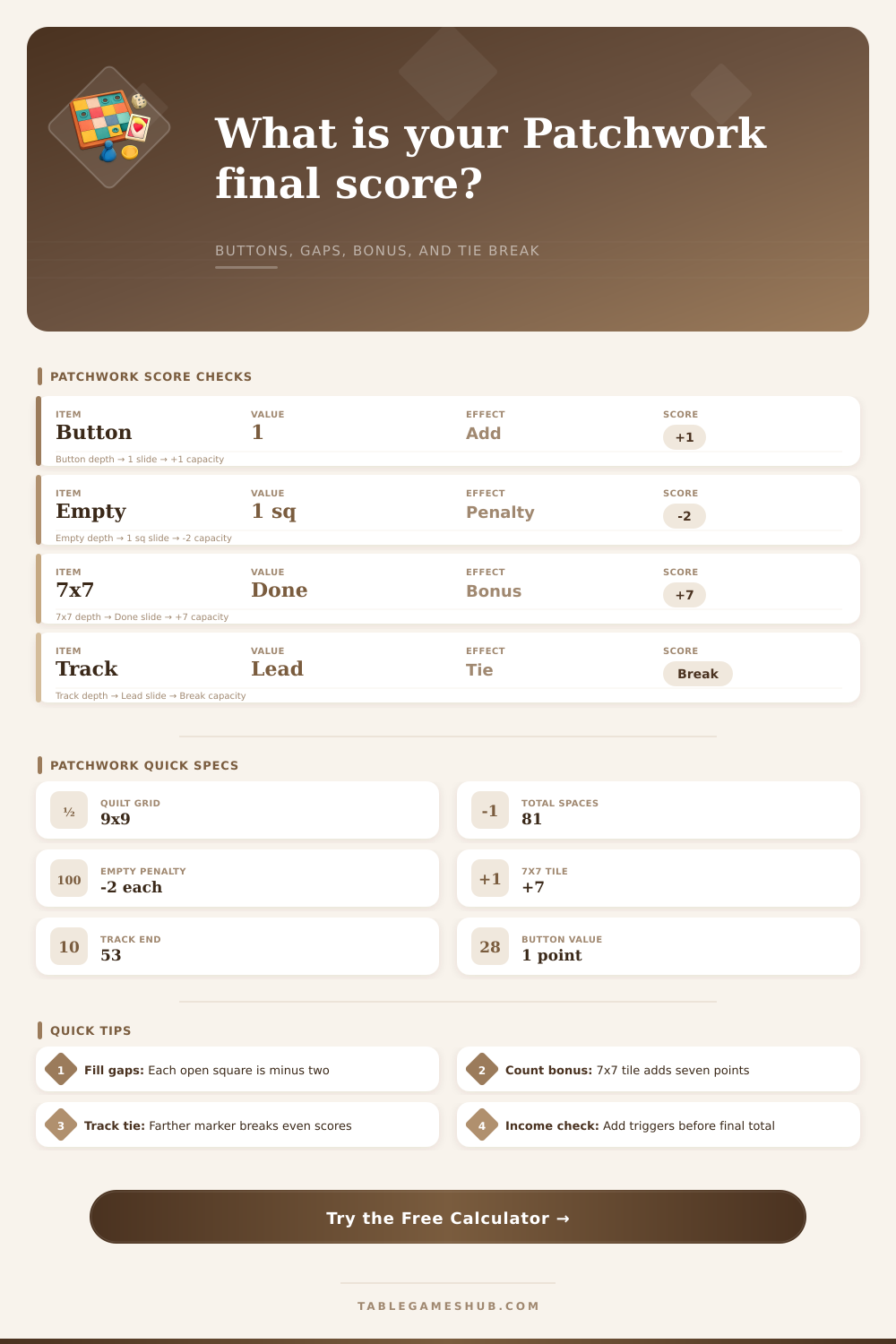
To calculate the final score in Patchwork, several different scoring system is used. The final score is not just based off the number of buttons a player has, but also on the number of empty space on the quilt, any bonuses earn by the player with specific tile, and the time position of the player on the game track. The calculator provided will allow a Patchwork player to input the number of buttons that the player has, the number of empty spaces on the quilt, whether the player has earned a bonus with their tile, and the player’s position on the game track in order to calculate the final score.
Using the Patchwork score calculator will allow a Patchwork player to: avoid errors in manually calculate their score, and to understand the different component of their final score. The number of buttons that a Patchwork player have is one of the main components of there score. Each button that a player has is worth one point.
How to Use the Patchwork Score Calculator
Furthermore, while the number of buttons that a player has is important to the score, it isnt the only component of a Patchwork player’s score. Players also experience a penalty for each empty space that their quilt may has. Each empty space on a quilt is worth a penalty of two points for each empty space.
Thus, players may find it more valuable to place a patch on an empty space than to hold onto each button that they have. The more empty spaces that a player has, the more greater the number of points that will decrease their total button score. Another component of a Patchwork player’s score is the value of the 7×7 bonus that they may have earn during the game.
The 7×7 bonus is a flat bonus that can be added to a Patchwork player’s score, regardless of the number of tiles that they have on the quilt. Some player may believe that earning the 7×7 bonus is the goal of the Patchwork game, but it is also possible that the buttons that are required to earn this bonus will reduce a Patchwork player’s total score. The Patchwork score calculator will allow a player to determine if the 7×7 bonus goal is beneficial to the player by comparing the value of the bonus to the cost of buttons to earn the bonus.
Another component of a Patchwork player’s final score is the time position of that player on the Patchwork track. In the event that two Patchwork players have the same number of point, the player whose marker is further along the track is considered the winner. Therefore, time position is one of the final factor to consider in determining a player’s score.
By inputting the time position for both player into the score calculator, it is possible to determine if a player will win in the instance of a tie in the game. Another factor that can impact a Patchwork player’s score are income event. Income events will convert the player’s icons into buttons, increasing their score.
However, only if the player reaches the income trigger before the game is over will the income event impact the final score of the Patchwork game. A player must decide between spending their buttons to either cover empty spaces or spending their buttons to reach income event to increase their score. The calculator is helpful in this portion of the game to determine how many buttons the player will have if they reach an income event.
The tables provided beside the score calculator contain the rules for scoring in Patchwork. The reference tables will allow a player to determine how many points that an empty space on the quilt will cost the player’s score. The score calculator utilize the same rules for calculating a player’s score that are listed in these tables.
These tables and the score calculator will allow a player to easily calculate their score, even if the player may feel that they have a nearly complete quilt. In most game of Patchwork, a small number of points can separate the winner of the game from the runner-up. A Patchwork player with fewer buttons may win the game from a player with more button if the player with fewer buttons has fewer empty spaces on their quilt.
The Patchwork score calculator allows a player to understand these score margin and to make better decisions during the last few turn of the game. Thus, understanding how to calculate a Patchwork game’s final score allows a player to understand the narrow score margin between first place and second place in the game.