Nerf Dart Trajectory Calculator
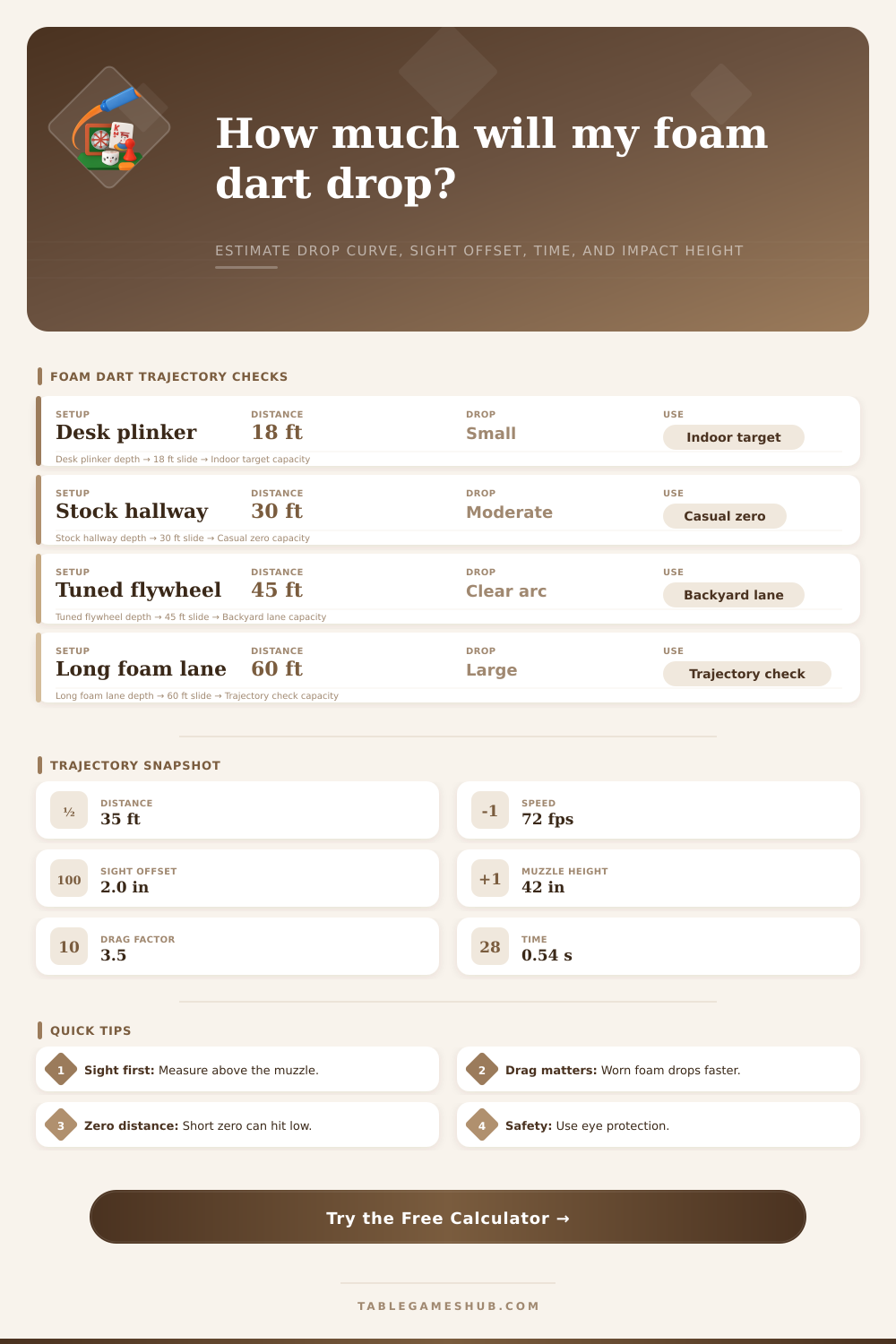
Model foam dart drop curve, time to target, sight offset, muzzle height, drag factor, and impact height at a chosen target distance.
| Distance | Time | Dart height | Sight line height | Drop vs sight | Speed left |
|---|
| Check point | Distance | Line of sight | Dart path | Needed hold |
|---|
| Preset | Distance | Speed | Zero | Drag | What it checks |
|---|---|---|---|---|---|
| Desk plinker | 16 ft | 55 fps | 15 ft | 4.2 | Small indoor drop with close sight offset. |
| Stock hallway | 30 ft | 70 fps | 25 ft | 3.7 | Common casual blaster trajectory. |
| Backyard target | 45 ft | 78 fps | 35 ft | 3.4 | Impact height after a mild arc. |
| Tuned flywheel | 55 ft | 105 fps | 45 ft | 2.8 | Flatter path with higher launch speed. |
| Worn dart check | 35 ft | 63 fps | 25 ft | 5.8 | Extra drop from draggy foam. |
| Drag factor | Dart behavior | Typical cause | Trajectory effect |
|---|---|---|---|
| 1.5 to 2.5 | Clean and fast | Fresh short dart, tight barrel, smooth tip | Flatter arc and shorter flight time. |
| 2.6 to 4.0 | Normal foam | Good full-length dart in a stock or mild setup | Visible drop after hallway distances. |
| 4.1 to 6.0 | Draggy | Waffle tip, worn foam, loose fit, or yaw | More time in air and lower impact height. |
| 6.1 to 10.0 | Very draggy | Damaged dart or unstable launch | Steep late drop and large hold correction. |
A trajectory tool is a device or software that calculates the movements of a Nerf dart through the air. A Nerf dart isnt always able to travel in straight line from the Nerf blaster. The dart is affected by the force of gravity and air resistance.
A trajectory tool can allow an individual to understand how the Nerf dart will behave after it leave the blaster. The inputs for a trajectory tool include several different physical measurements of the Nerf dart. The muzzle speed of the Nerf dart is one of the inputs that are required.
How to Use a Nerf Dart Trajectory Tool
This is the speed at which the Nerf dart leaves the blaster. Due to air resistance, however, the muzzle speed will decrease as the Nerf dart travels. Sight offset is another of the inputs.
This is the distance between the sight on the Nerf blaster and the Nerf darts barrel. Muzzle height and target center height are two additional variables. These are the heights of the Nerf blaster and the target, respectively.
The drag factor of the Nerf dart is another of the required variables. Nerf darts will experience air resistance that slows them down, hence the drag factor. This can be affected by the amount of wear on the Nerf darts foam or the weight of its tip.
Finally, the zero distance will be an input into the trajectory tool. This is the distance at which the sight and the Nerf darts path will intersect. A zero distance that works well at twenty feet may not work as well than forty feet.
Thus, an individual will need to choose a zero distance that meets their need with respect to the distance at which they will be using their Nerf blaster. The trajectory tool will provide several different outputs to an individual. One output is drop versus the sight line.
This is the difference in the drop of the Nerf dart versus where the individual aimed the sight of their Nerf blaster. Time to target is another of the outputs of the trajectory tool. This output measures how long the Nerf dart will stay in the air.
The longer that the Nerf dart is in the air, the more likely that gravity will affects the Nerf dart. Another of the trajectory tools outputs is impact height. This is the height at which the Nerf dart will impact the target.
The last of the trajectory tools main outputs is hold correction. This is the amount that the individual will need to adjust the aim of the Nerf blaster in order to hit the center of the target. Each of these outputs are estimates of the movement of the Nerf dart.
However, they will help the Nerf blaster user to avoid guesswork when aiming Nerf darts at their target. Drag is one of the factors of a Nerf dart that an individual should consider when using the trajectory tool. The drag of the Nerf dart will change, however.
One example of how the drag can change is if the Nerf dart is worn. New Nerf darts will have less drag than worn Nerf darts. Thus, Nerf darts will travel farther, and drop less with less drag.
The user can adjust the drag factor within the trajectory tool to reflect the drag of the Nerf dart that is to be used so that the trajectory tool can accurately represent the performance of that Nerf dart. Zero distance is another variable that should be considered. An individual will have to consider each of these variables carefully in order to ensure that the Nerf dart flies as they intended for it to.
For instance, if the zero distance is short, it is possible that the Nerf dart will appear to drop quick after the zero distance. A long zero distance will maintain the Nerf darts path along the trajectory for a longer period of time, but may require a different sight offset. The trajectory tool will calculate the angle at which the Nerf dart should leave the Nerf blaster in order to reach the zero distance that the user selected.
The trajectory tool will then calculate and display the trajectory of the Nerf dart at the target distance. There are several different variables within the real world that will affect the Nerf dart. Wind is one of the factors that will affect the Nerf dart.
The wind may push the Nerf dart sideways, up, or down. Additionally, the actual condition of the Nerf blasters barrel may affect the path of the Nerf dart. The fit of the Nerf dart within the blaster may also affect the path that it takes.
In each of these cases, an individual should shoot a group of Nerf darts at the actual distance at which they intend to aim their Nerf darts. By measuring the height at which the Nerf darts impact the target, the individual can adjust the drag or the zero distance within the trajectory tool as necessary to ensure that the Nerf dart will hit the target. Sight offset and muzzle height are two of the most important measurements that should be entered into the trajectory tool.
Any incorrect entry of the sight offset will cause the sight line of the Nerf blaster to be incorrect. This will make it seem like the Nerf dart is dropping when it may not be. Muzzle height is another critical measurement.
Depending on how low or how high the Nerf blaster is held, the muzzle height will change. These measurements are used as a reference within the trajectory tool for calculating the trajectory of the Nerf dart. The trajectory tool also includes tables that help the users to more quickly input their variables into the trajectory tool.
For instance, preset comparisons allow the individual to understand the trajectory of the Nerf dart without having to enter each of the variables. Additionally, a drag factor guide allows the individual to understand the drag of their Nerf darts. While these tables will not provide the same results as the trajectory tool itself, they can help the user to narrow the adjustments that are required of the Nerf blasters settings.
By using a trajectory tool, an individual will have a better understanding of the reasons that their Nerf dart may be missing the target that they aimed at with the Nerf blaster. Each of the separate variables can be tested to see the impact that it can have upon the trajectory of the Nerf dart. Based off these tests with the trajectory tool, an individual can decide whether they need to use a different type of Nerf dart, adjust the sight of the Nerf blaster, or adjust the zero distance at which their Nerf darts should impact their target.
The trajectory tool may automate the mathematical calculations of the trajectory tool, but the user gains an understanding of each of the variables through the trajectory tool. Eventually, as they become more familiar with the way that the Nerf dart works, and how the separate variables interact with one another, the user will be able to make predictions about the trajectory of the Nerf dart without the use of the trajectory tool itself.