♞ Chess Knight Move Calculator
Test a knight jump, find the shortest path, map reachable squares, and compare edge, corner, and center mobility on standard or custom boards.
| Metric | Value | Formula or rule | Position note |
|---|
| Start zone | Standard exits | Example square | Mobility reading |
|---|---|---|---|
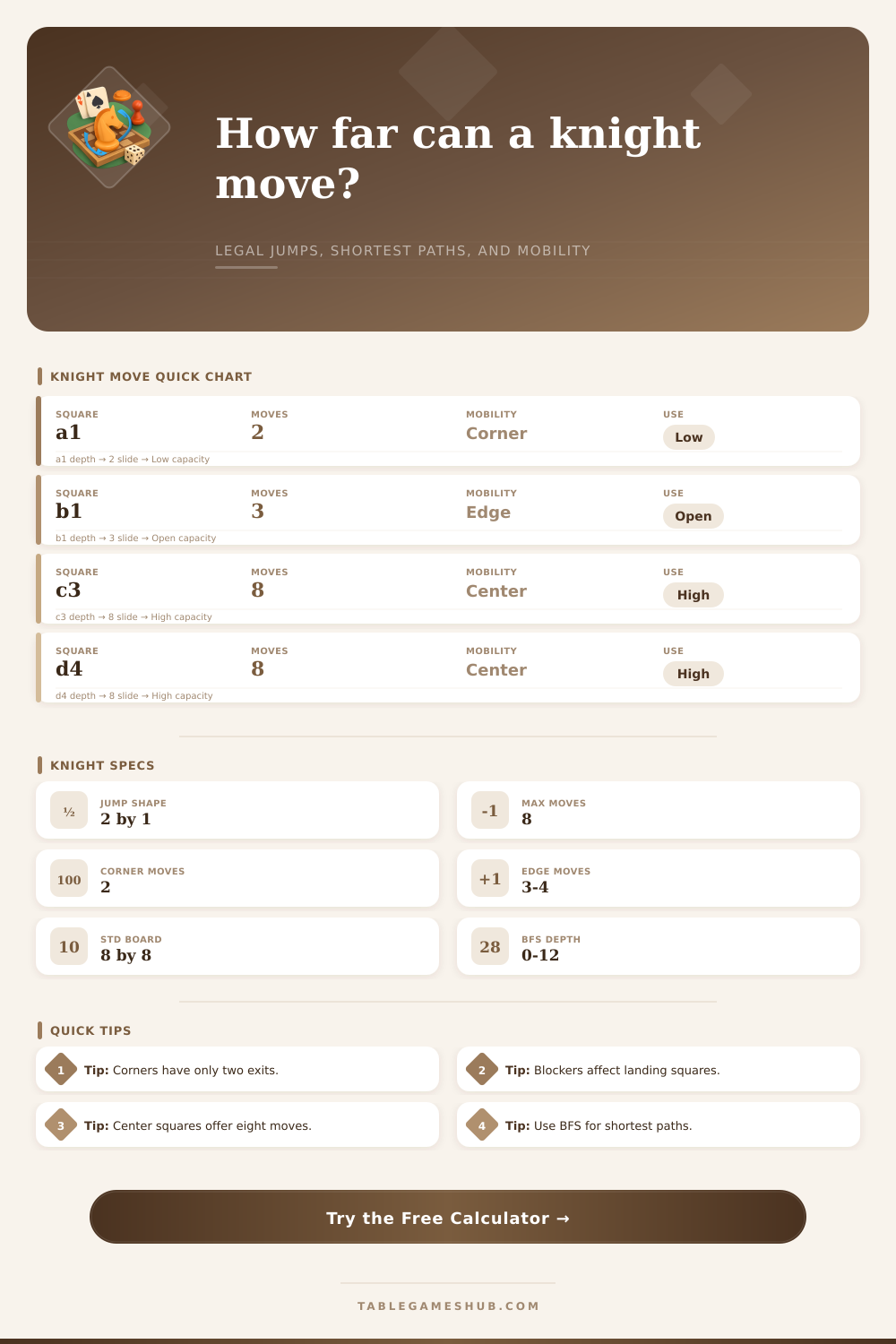
| Corner | 2 | a1, h8 | Lowest mobility; only two legal landings on an empty 8 by 8 board. |
| Near corner edge | 3 | b1, a2 | Opening knights often start here and need one move to improve reach. |
| Outer edge | 4 | d1, h5 | Reasonable access, but half the landing pattern is off board. |
| Inner rim | 6 | b3, g6 | Flexible posts that still lose some outside landings. |
| Central square | 8 | d4, e5 | Maximum tactical coverage when no landing square is blocked. |
| Board profile | Files by ranks | Typical knight use | Distance behavior |
|---|---|---|---|
| Standard chess | 8 by 8 | Opening development, outposts, forks, and endgame routes. | Most squares connect within six moves on an open board. |
| Training board | 5 by 5 | Compact drills for corner escape and route counting. | Small boards can isolate squares when blockers are dense. |
| Large variant | 10 by 8 | Fairy chess and custom board analysis. | More central squares preserve eight exits for longer. |
| Tall custom board | 6 by 10 | Route puzzles with vertical corridors. | Distances stretch along the longer axis. |
| Narrow custom board | 4 by 8 | Constraint puzzles and edge studies. | Move parity and corridor width matter more. |
| Calculation item | Formula | Blocker effect | Output shown |
|---|---|---|---|
| Legal moves | Eight candidate offsets filtered by board bounds. | A listed blocker removes that landing square. | Move count plus square list in the breakdown. |
| Minimum distance | Breadth-first search from start toward target. | Blocked landings are skipped during expansion. | Moves needed or not reachable warning. |
| Reachable squares | All squares visited up to the selected depth. | Closed landing squares are excluded. | Total reachable count and board markings. |
| Edge mobility | Legal moves divided by the open-board maximum of eight. | Blockers lower the score after edge limits apply. | Corner, edge, rim, or center class. |
| Path preview | Parent links from BFS rebuild the first shortest route. | Route bends around blocked landing squares. | Sequence of squares in the result table. |
| Knight pattern | File change | Rank change | Landing examples from d4 |
|---|---|---|---|
| Two right, one up/down | +2 | +1 or -1 | f5, f3 |
| Two left, one up/down | -2 | +1 or -1 | b5, b3 |
| One right/left, two up | +1 or -1 | +2 | e6, c6 |
| One right/left, two down | +1 or -1 | -2 | e2, c2 |
| Same color check | Not possible | Not possible | A knight always changes square color each move. |
Blocker handling
Use blockers for occupied landing squares only. A knight can jump across occupied middle squares, so those pieces do not need to be listed unless they occupy a landing square.
Distance reading
Shortest knight paths are about reachability rings, not straight-line distance. A square can look close while requiring several L-shaped jumps.
The knight is a pieces on a chessboard that moves in a specific patterns. A knight cannot moves in straight lines. Additionally, a knight cannot move along the diagonal lines on a chessboard.
Instead, a knight moves in an L-shape. More specificaly, a knight moves two squares in one direction and one square in a direction that is perpendicular to the first direction. Because a knight moves in this L-shape, it is able to jump over pieces that are located between the square that a knight begins on and the square that a knight moves to.
How a Knight Moves on a Chessboard
However, a knight cannot land on a square that are occupied by another piece. Thus, the movement of a knight raise several mathematical questions for a person to consider. For instance, a person can consider the question of how many squares a knight can reach from a specific starting position.
Additionally, a person may wonder what the shortest number of moves is for a knight to move from one square to another square on a chessboard. A knight is a piece that can affect the game of chess in a variety of ways. For instance, if a knight is positioned in the center of a chessboard, it can attack a variety of different squares at the same time.
Additionally, if a knight is on a strong square, it can help to dominate a portion of the chessboard. Because the movement of a knight is not easy for the human minds to visualize, it may help a person to utilize a calculation tool. Such a calculation tool allow for a person to input the dimension of the chessboard (standard or non-standard), the starting square of the knight, the ending square of the knight, and any blockers that may prevent the knight from landing on certain squares.
Additionally, the calculation tool will provide suggestions for the shortest route that the knight can take to move from the starting square to the ending square, as well as how many squares that the knight can cover within a certain number of moves. The various inputs into the calculation tool is necessary in order to provide the output for the tool. For instance, a person may be playing on a standard chessboard or on a non-standard chessboard of different dimensions.
Additionally, the players may use different notations to identify the squares of the chessboard. Thus, both the size of the chessboard and the notation of the squares must be input into the calculation tool. Additionally, a person must set a depth limit for the calculation of the movement of the knight.
Finally, any blockers on the chessboard must be listed. A knight cannot land on a square that is occupied by another piece. Thus, the presence or absence of blockers can impact the movement path of the knight.
A person may make mistakes when attempting to calculate the movement of a knight. For instance, a person may believe that a square is “close” to a knight because it is physically close to the knight on the chessboard. However, it is possible for a square to be physically close to a knight yet be “far” from the starting position of the knight.
Additionally, a knight always moves to a square of a different color than the square from which it began its move. Thus, a person may make an incorrect assumption about the movement of a knight if they dont consider these aspects of a knight’s movement. A calculation tool that avoids these mistakes can use a method known as a breadth-first search algorithm to find the shortest number of moves it will take for a knight to travel from its starting position to the desired ending position.
The position of a knight on a chessboard can impact the movement of the piece. For instance, if a knight is positioned on one of the corner squares of a chessboard, a knight can only move to two different squares on the chessboard. If a knight is positioned on one of the edge (but not one of the corners) of a chessboard, a knight can only move to three different squares.
However, if a knight is positioned in the center of a chessboard, it can move to eight different squares. Each of these position can have an impact upon the game of chess in that a player can use these positions to either limit the movement of an opponent knight or to allow their own knights to expand to different parts of the game board. Such a calculation tool can report to a player the number of exit squares for the knight on the chessboard, as well as provide a mobility class for that knight.
A person can use the calculation tool to explore different scenarios for the movement of the knight. For instance, a person can change the target square that the knight should move to. Additionally, the person can explore the impact of adding additional blockers to the chessboard.
Finally, a person can increase the depth limit that is set for the calculation of the movement of the knight. Each of these changes to the calculation tool will allow the player to learn more about the way in which a knight can move within a specific position on the chessboard. Regardless of the position of a knight on the chessboard, the movement of a knight is always the same.
However, the position of a knight is always changing due to the presence of other pieces on the chessboard and the size of the chessboard itself. Thus, by utilizing such a calculation tool, a person can avoid making mistakes in their game of chess, as well as make better decisions of where to place their own knight on the game board.