🧩 Kakuro Sum Combination Calculator
Find legal no-repeat digit sets for a Kakuro clue, audit minimum and maximum feasibility, remove used digits, and filter candidates through crossing clues.
| Step | Value | Formula or filter | Interpretation |
|---|
| Cell count | Minimum sum | Maximum sum | Extremes |
|---|---|---|---|
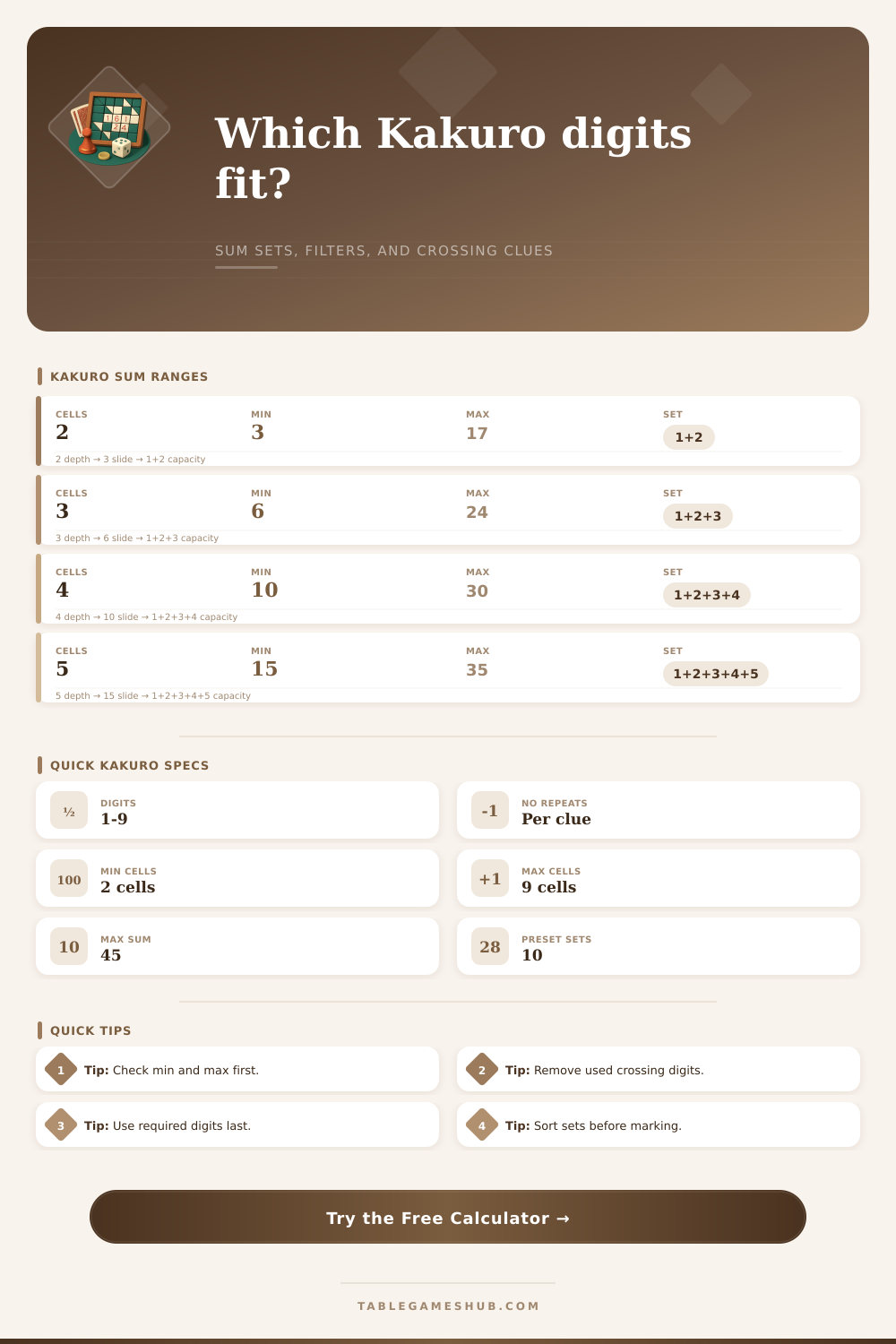
| 2 cells | 3 | 17 | 1+2 through 8+9 |
| 3 cells | 6 | 24 | 1+2+3 through 7+8+9 |
| 4 cells | 10 | 30 | 1+2+3+4 through 6+7+8+9 |
| 5 cells | 15 | 35 | 1+2+3+4+5 through 5+6+7+8+9 |
| 6 cells | 21 | 39 | 1+2+3+4+5+6 through 4+5+6+7+8+9 |
| 7 cells | 28 | 42 | 1+2+3+4+5+6+7 through 3+4+5+6+7+8+9 |
| 8 cells | 36 | 44 | 1+2+3+4+5+6+7+8 through 2+3+4+5+6+7+8+9 |
| 9 cells | 45 | 45 | 1+2+3+4+5+6+7+8+9 only |
| Common clue | Cell count | Canonical sets | Solving note |
|---|---|---|---|
| 3 | 2 | 1+2 | Forced pair with no alternative set. |
| 4 | 2 | 1+3 | Another forced low pair. |
| 16 | 2 | 7+9 | Forced high pair after excluding 8+8. |
| 17 | 2 | 8+9 | Highest legal two-cell clue. |
| 6 | 3 | 1+2+3 | Forced three-cell minimum. |
| 24 | 3 | 7+8+9 | Forced three-cell maximum. |
| Filter type | Input field | What it removes | When to use it |
|---|---|---|---|
| Used digits | Digits already used | Any set containing those digits | When part of the same clue is already filled. |
| Required digits | Required crossing digits | Sets missing fixed digits | When crossing clues force one or more cells. |
| Crossing pool | Candidate digits | Digits not allowed by perpendicular clues | When each blank has a shared candidate list. |
| Range gate | Smallest and largest digit | Sets outside a digit band | When crossing clues eliminate low or high values. |
| Loose mode | Filter mode | No crossing restrictions | When verifying the raw sum list first. |
| Specification | Kakuro entry | Calculator behavior | Result impact |
|---|---|---|---|
| Digit order | Cells are ordered on the grid | Shows unordered sets | Use crossing clues to place each digit. |
| No repeats | Same digit cannot recur in one clue | Enumerates distinct digits only | Invalid repeats never appear. |
| Feasibility | Sum must fit cell count | Compares target to min and max | Impossible clues are flagged before listing. |
| Crossing clues | Across and down entries intersect | Optional digit pool and required filters | Candidate count narrows as crossings resolve. |
| Set count | Several clues have multiple sets | Counts all matching combinations | Lower count means stronger clue pressure. |
Start with feasibility
Check the minimum and maximum range before spending time on crossings. A target outside the range means at least one clue or cell count was read incorrectly.
Separate set logic from placement
The calculator lists the digits that can belong to the clue. Use the crossing clue candidates to decide which blank receives each digit.
Kakuro is a puzzle game that require a person to solve clue by using mathematics. Each clue has a target sum and a specific number of cell. A person must find a group of digit that add up to the target sum and that use only the specific number of cells to type in those digits.
As there is more information provided to a person for that specific clue the number of possible combination of digits will decrease. The goal for a kakuro solver is to find all of the sets of digits that can be used in the clue based off the target sum, the number of cells, and any cross-clue. In order to find these sets the kakuro calculator utilize several different sets of inputs from that specific kakuro puzzle.
How to Find Number Sets for Kakuro Clues
The target sum and the number of cells are the two main clue that any solver will use. The allowed digits are those that can be used in the clue, the used digits are those that are already in that same entry in the puzzle, the required digits are those digits that is required for that clue due to cross clues already determining the digit in that cell, the crossing candidate list is the list of digits that the perpendicular clue accept and the min-max range for those clue. The calculator can change each of these digits to determine which sets of digits are legal for that specific clue.
In order to solve these clue a player should first determine if the clue is even feasible. In order to determine if it is feasible a target sum will be compared to the minimum and maximum sums of digits for that number of cells. If the target sum is outside of these range then the clue will be impossible.
If, however, the clue is feasible then the person should determine which digits have already been used in that entry. The calculator can automatically process this but it is up to the solver to ensure that the used digits are properly account for. As more digits are solved across the grid the number of possible combination for the remaining unsolved digits will decrease.
Another of the constraints for these clue are the crossing clues. Each crossing clue will have a required digit that must be include in each possible set of digits for that clue. The solver will utilize the crossing candidate list to cross out any digits from the clue that cannot be used in the crossing clue.
The calculator will have a filter mode in which there are both loose and strict mode. Loose mode will use only the target sum and no-repeat rule for the digits but strict mode will use the crossing clue constraint to filter the possible sets of digits for the clue. Another of the useful feature of the calculator are the reference tables that show which clues are more restrictive than other clues.
For instance, two cell-clues with a target sum of seventeen have only one possible set of digits but five cell clues with a target sum of twenty-three have many different set of digits that can be used. Thus, a two-cell clue with a target sum of seventeen is a more restrictive clue than a five-cell clue with a target sum of twenty-three. Thus, it is beneficial to solve restrictive clues first as they have fewer possible sets of digits but less restrictive clues can be solve later in the puzzle.
The sets of digits are unordered because the other clues in that entry will determine which digits go into which cells. Thus, it is never beneficial for the solver to attempt to figure out the order of the digits to use in each clue before the other clues in that entry is solved. Instead, the solver should wait until only one set of digits remains for that clue.
At this point, the solver can confidently place each of the of the digits into each of the cells of that clue. If there are multiple sets of digits that remain for a clue then the solver should evaluate which of those sets may be balanced (each digit is equally likely to be used in each cell) but a balanced set is not always the correct set of digit. Sometimes the only correct set of digits is the one with the required crossing digit.
There are a few error that often occur when playing kakuro. One of the most common is forgetting to update the information in the calculator. For example, if the solver forgets to update the used digits for a clue then the solver may end up with impossible combination of digits.
Another error is incorrectly apply the crossing clue filters. If they are applied too early in the puzzle the solver may end up removing digits that is still needed in that clue. If they are applied too late the solver may find that there are no longer any possible set of digits.
Thus, the solver should continually update these filters as there is new clues in the crossing entries to ensure that the solver can determine if the clue has many option or if it has become narrow enough to be solved.